Instructions for how to change the image rendering settings in Ambra:
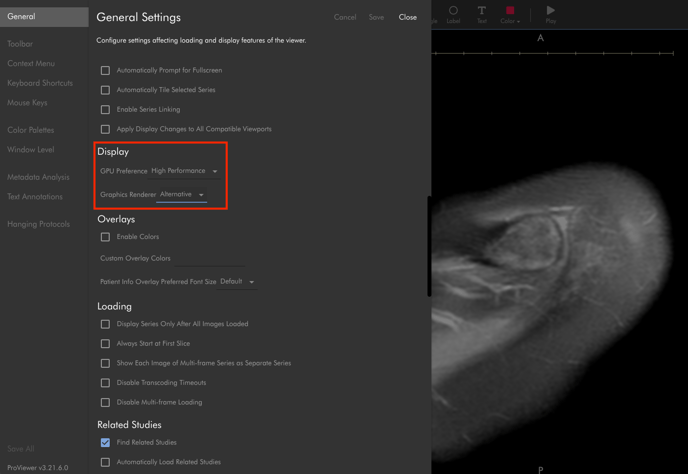
In the ProViewer settings, go to:
- General > Display > Graphics Renderer, then choose the “Alternative” option
- Save the settings and then close the Settings window
See the image below to find the settings location in InteleShare